
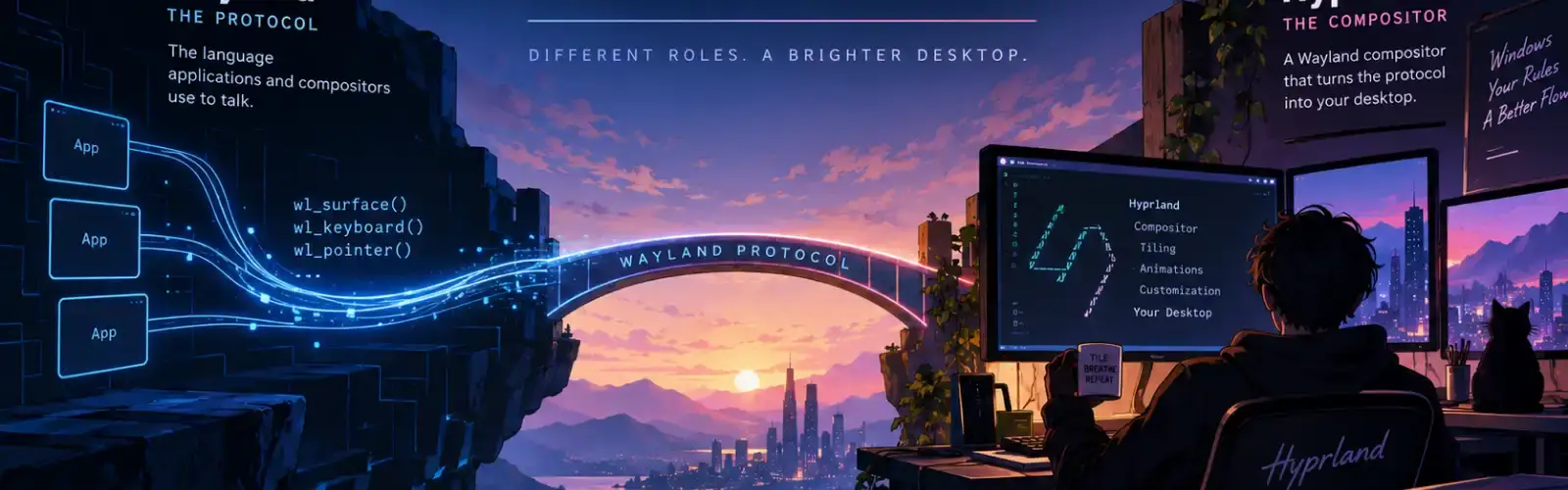
I switched from Wayland to Hyprland.
There is only one problem That sentence does not technically make sense. Hyprland does not replace Wayland. Hyprland speaks Wayland. And understanding why requires following something surprisingly ordinary: a single click of your mouse.
A Mouse Click Begins Its Journey
Imagine your cursor sitting above a button. You press the mouse. At the lowest level, Linux receives that input through the kernel. Something now needs to determine which application should receive the event, while applications need some mechanism for putting their rendered pixels onto your monitor. For decades, that job was largely associated with the X Window System, usually through Xorg. X accumulated responsibilities over decades of computing history. Modern Linux graphics, however, already had components such as kernel mode setting, Mesa, modern GPU drivers and compositing window managers. Wayland approached the problem differently. Instead of creating another giant display server containing everything, Wayland became a protocol describing how graphical clients and a compositor communicate. The architecture becomes conceptually closer to this:
flowchart LR
A[Keyboard / Mouse] --> B[Linux Kernel]
B --> C[Wayland Compositor]
C --> D[Application]
D --> E[Rendered Buffer]
E --> C
C --> F[GPU / Display]
Under Wayland, the compositor effectively acts as the display server. Applications create surfaces, render their content into buffers and communicate with the compositor using the Wayland protocol. wayland.freedesktop.org
So Wayland itself is not the desktop you are looking at.
It is closer to the language used behind the desktop.
Then Hyprland Walks Into the Room
If Wayland is the language, somebody still needs to speak it.
That somebody can be GNOME's Mutter, KDE's KWin, Sway, Weston... or Hyprland.
Hyprland is a Wayland compositor.
When you launch Hyprland, it becomes responsible for far more than simply drawing window borders. A Wayland compositor manages window placement, input routing, surfaces, output configuration and ultimately how application buffers become the final image on your monitor. Hypr Land Wiki
Conceptually:
                WAYLAND
             (the protocol)
                   │
       ┌───────────┼───────────┐
       │           │           │
       ▼           ▼           ▼
    Hyprland      KWin       Mutter
       │
       ▼
   Your Desktop
This is why “Hyprland vs Wayland” is similar to saying “Firefox vs HTTP.”
One is software implementing and using the other.
So What Makes Hyprland Special?
Wayland defines communication.
It does not tell your desktop that windows should tile automatically, that opening a terminal should produce an animation, or that your workspace should slide beautifully onto another monitor.
Those are compositor decisions.
Hyprland focuses heavily on dynamic tiling, customization and visual effects.
A traditional floating desktop might place windows like sheets of paper:
+-----------------------------+
|       Terminal              |
|                 +-----------+
|                 | Browser   |
|      +----------|           |
|      | Editor   |           |
+-----------------------------+
Hyprland can instead continuously reorganize available screen space:
+----------------+------------+
|                |  Terminal  |
|    Browser     +------------+
|                |   Editor   |
|                |            |
+----------------+------------+
Open another window and the layout can adapt again.
But the interesting part is that this visual behaviour sits above Wayland.
Wayland does not care whether your desktop looks like an enterprise workstation from 2008 or a cyberpunk control room.
Why Wayland Exists at All
The motivation becomes clearer when comparing the simplified data paths.
A traditional composited X environment can involve several components interacting:
flowchart LR
    A[Input] --> B[Kernel]
    B --> C[X Server]
    C --> D[Application]
    D --> C
    C --> E[Compositor]
    E --> F[Display]
Wayland's architecture removes much of that historical separation:
flowchart LR
    A[Input] --> B[Kernel]
    B --> C[Wayland Compositor]
    C --> D[Application]
    D --> C
    C --> E[Display]
The official Wayland architecture describes the compositor as the display server itself, allowing it to communicate input events with clients and composite their buffers for the display. wayland.freedesktop.org
This simpler model is one of the architectural ideas behind Wayland.
It also changes the security model.
Wayland clients generally do not receive unrestricted knowledge of other clients' surfaces. A surface represents an application's rectangular pixel area, and clients do not inherently know the global position or contents of every other surface. wayland.freedesktop.org
That is useful for isolation, although it also explains why things such as screen capture and global shortcuts require dedicated mechanisms rather than behaving exactly as they did under X11.
Where Hyprland Actually Lives
The full picture therefore looks something like this:
flowchart TD
    A[Applications] --> B[Wayland Protocol]
    B --> C[Hyprland]
    C --> D[Linux Graphics Stack]
    D --> E[GPU]
    E --> F[Monitor]

    G[Keyboard / Mouse] --> D
    D --> C
    C --> A
Applications speak the Wayland protocol. Hyprland receives those messages, manages windows and workspaces, processes input and decides how everything should appear.
Linux and the graphics stack interact with the hardware.
Your GPU produces the final output.
And suddenly those smooth Hyprland animations are no longer magic. They are simply the visible end of a fairly elegant system.
Then What Am I Actually Choosing?
When someone asks whether they should use Wayland or Hyprland, the more technically accurate question is:
Which Wayland compositor should I use?
If you run Hyprland, you are already using Wayland.
You could instead use KWin through KDE Plasma, Mutter through GNOME, Sway for an i3-inspired environment, or another Wayland compositor entirely.
Hyprland is simply one interpretation of what a Wayland desktop can be.
That distinction is small, but once you understand it, a large part of the modern Linux graphics stack suddenly makes much more sense.
Wayland defines the conversation.
Hyprland decides what that conversation looks like on your screen.