
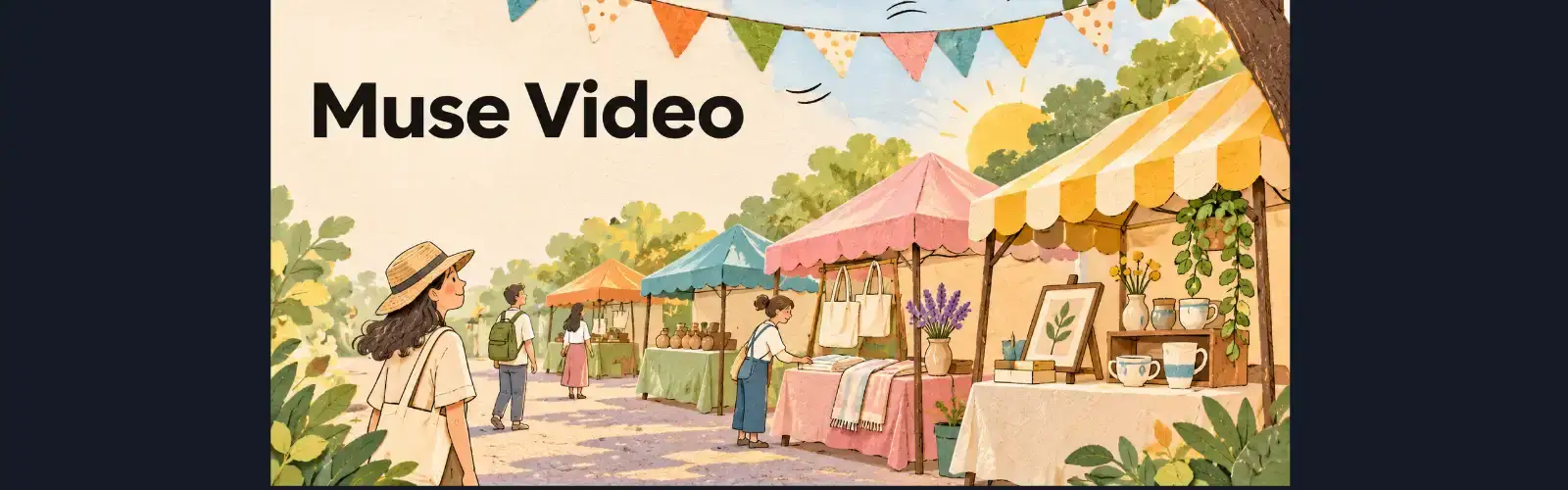
The market is next weekend, and you need a short video to announce it today. You have a poster illustration, but no footage from the event. The drawing shows a few stalls, visitors, and paper flags above the walkway.
Try turning that drawing into a short clip with Muse Video. Upload it in Image mode and focus on one change: the flags move gently. Add a light rustle to match them, with faint market voices in the distance.
Prepare the image before uploading it. If you have the original artwork, export the illustration without the event text. If you only have the finished poster, crop a section that leaves out the date, address, prices, and vendor names. You can add the confirmed details in your video editor later.
A first prompt could be:
Use the uploaded illustration as the starting image. Keep the camera steady, with subtle movement focused on the paper flags. Sound: a light rustle from the flags and faint voices in the distance. No clear spoken words.
Watch the clip once with the sound off. Do the flags move without pulling attention away from the stalls? Have the people or objects changed in a way you didn’t want? Then listen with the picture on. Does the sound fit what you can see?
If the movement is too strong, ask for less of it. If the sound feels wrong, change the sound description. Keep the rest of the prompt the same so you can judge what the change did.
In the final edit, add the event name, date, location, and any booking details. Leave them on screen long enough to read. If the original poster still has the correct information, you can show it at the end. Otherwise, use a final card with the confirmed details.
This is an illustrated preview, not footage from an event that hasn’t happened yet. Keep the clip if the sound fits the picture and viewers can still find the details they need.