
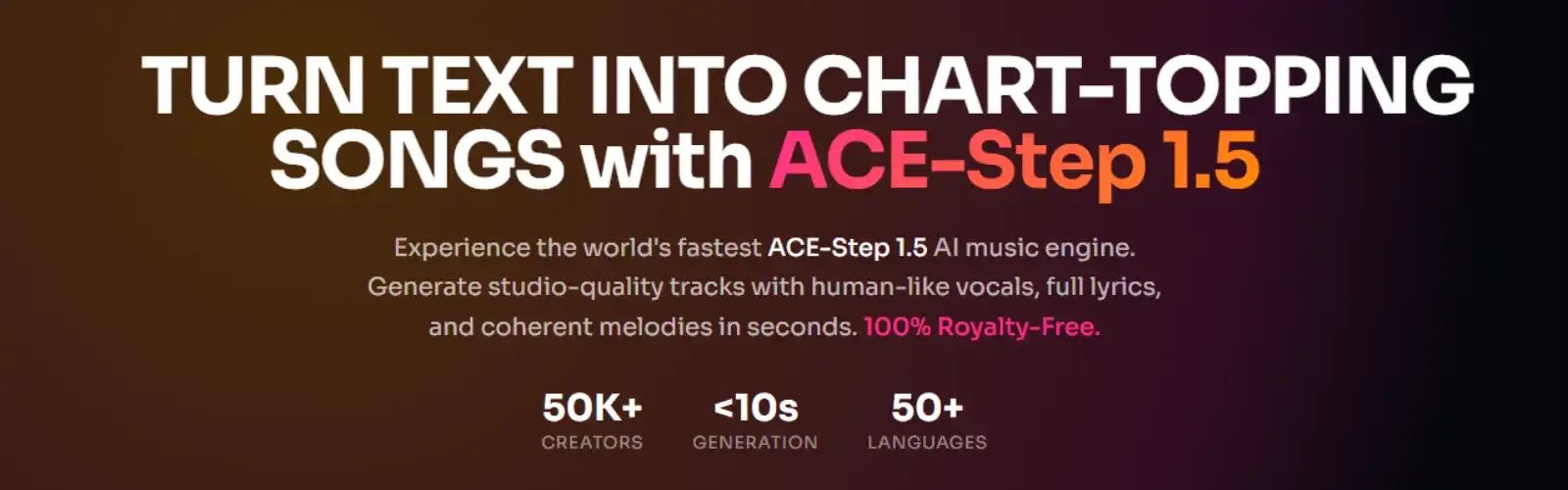
Creating music traditionally involves working with instruments, recording software, samples, and production techniques. AI music generators offer another starting point: describing the sound you want in everyday language.
ACE-Step 1.5 is an AI music generation tool for exploring musical ideas through text prompts. Instead of building every element of a track from scratch, you can begin with a description of the genre, mood, instruments, and overall atmosphere.
In this guide, we'll explore how to write better AI music prompts, develop creative ideas, and use ACE-Step 1.5 as part of a text-to-music workflow.
What Is ACE-Step 1.5?
ACE-Step 1.5 is an AI music generation model designed to turn written descriptions into musical audio.
Text-to-music generation works by interpreting the characteristics described in a prompt. These might include the music genre, emotional tone, instrumental arrangement, and pace.
For example, rather than simply requesting "relaxing music," you might describe a gentle piano melody with ambient textures, a slow tempo, and a peaceful atmosphere.
The second prompt communicates a clearer musical direction.
This approach makes AI music generation useful for exploring early-stage musical concepts, even when the user doesn't have extensive experience with traditional production tools.
How to Create AI Music with ACE-Step 1.5
A practical way to begin is to divide your musical idea into four components.
Step 1: Choose a Music Genre
Start by deciding what kind of music you want to explore.
Some common options include:
- Pop and electronic music
- Ambient and relaxing soundscapes
- Cinematic instrumental music
- Acoustic and folk-inspired arrangements
- Jazz and lo-fi music
A specific genre gives your prompt a recognizable musical foundation.
Step 2: Describe the Mood
Next, define how the music should feel.
An upbeat track might use words such as "energetic," "uplifting," or "playful."
A slower composition might be described as "emotional," "reflective," or "peaceful."
Try combining one main emotion with a secondary quality instead of listing too many conflicting moods.
Step 3: Specify Instruments and Tempo
Mentioning instruments helps communicate the arrangement you're imagining.
For example:
"Soft piano, warm strings, subtle ambient pads, and a slow tempo."
For a more energetic composition:
"Bright synthesizers, punchy electronic drums, deep bass, and a fast dance rhythm."
The goal is to describe the most important elements without overwhelming the prompt.
Step 4: Generate, Listen, and Refine
Enter your description into an AI music generation workflow, review the resulting audio, and identify what you want to change.
If the music feels too energetic, reduce the suggested tempo.
If the arrangement sounds too busy, ask for fewer instruments.
If the emotional atmosphere is unclear, replace vague adjectives with more specific descriptions.
This iterative process helps you develop a more focused musical direction.
5 AI Music Prompts to Try with ACE-Step 1.5
Here are five prompts covering different musical styles. They are starting points for experimentation, not verified generation results.
1. Cinematic Piano
"Emotional cinematic instrumental music with gentle piano, warm orchestral strings, a slow tempo, and a reflective atmosphere."
Best for: Storytelling videos, dramatic scenes, and reflective content.
2. Upbeat Electronic Music
"Energetic electronic dance music with bright synthesizers, punchy drums, a strong bassline, and an uplifting festival atmosphere."
Best for: Fast-paced videos, digital content, and energetic creative projects.
3. Relaxing Ambient Music
"Peaceful ambient instrumental music with soft atmospheric pads, minimal piano notes, gentle textures, and a slow, relaxing progression."
Best for: Meditation concepts, relaxation content, and calm background soundscapes.
4. Lo-Fi Study Music
"Warm lo-fi hip-hop instrumental with mellow piano chords, soft drums, subtle vinyl texture, and a relaxed mid-tempo groove."
Best for: Study playlists, productivity videos, and casual background music.
5. Acoustic Guitar
"Intimate acoustic instrumental music with fingerpicked guitar, warm natural tones, a gentle rhythm, and a nostalgic atmosphere."
Best for: Personal storytelling, travel content, and acoustic music ideas.
Tips for Writing Better ACE-Step 1.5 Prompts
Be Specific Without Overloading the Prompt
A prompt that includes twenty different instruments and several conflicting moods may communicate an unclear musical direction.
Start with a genre, one or two instruments, and a main emotion.
Add complexity only when it serves the composition.
Describe the Arrangement, Not Just the Genre
Instead of writing:
"Make cinematic music."
Try:
"Create a cinematic instrumental with slow piano, swelling strings, and a gradual emotional build."
The second description gives the model more information about how the track should develop.
Change One Variable at a Time
When refining a prompt, avoid changing every detail simultaneously.
Try keeping the genre and instruments the same while adjusting the tempo or mood.
This makes it easier to understand which descriptions influence the musical direction.
Review Audio Before Publishing
AI-generated music should be reviewed before using it in a finished project.
Listen for unwanted artifacts, abrupt transitions, inconsistent musical structure, and whether the result actually fits your creative brief.
Also check the relevant usage rights before publishing or monetizing generated audio.
Who Can Use ACE-Step 1.5?
Content creators can experiment with musical ideas for videos, social media, and personal projects.
Independent musicians can explore arrangement concepts and use AI-generated material as inspiration.
Video editors can investigate different moods and musical directions before choosing or producing a final soundtrack.
AI enthusiasts can learn how natural language descriptions influence music generation.
The most valuable approach is to treat AI-generated audio as creative material that still benefits from human evaluation and editing.
Frequently Asked Questions
Can ACE-Step 1.5 create music from text?
ACE-Step 1.5 supports text-guided music generation. You can describe musical characteristics such as genre, mood, and instrumentation to guide the output.
Do I need music production experience?
You can begin experimenting with text prompts without professional production skills. However, musical knowledge can help when evaluating arrangements and refining your instructions.
What makes a good AI music prompt?
A useful prompt usually identifies the genre, mood, instruments, tempo, and any important arrangement characteristics.
Can AI-generated music be used commercially?
Commercial usage depends on the specific service terms, model licensing, and applicable rights. Check the conditions of the platform you use before distributing or monetizing generated music.
Final Thoughts
ACE-Step 1.5 offers an interesting way to explore music creation through natural language.
The key to getting more useful results is not simply writing longer prompts. It is communicating a clear musical direction, listening critically, and refining the result based on your creative goals.
If you're interested in experimenting with text-to-music generation, you can explore ACE-Step 1.5 and start with one of the example prompts above.
Whether you're developing music for a personal project or exploring new creative workflows, a well-structured prompt is a useful first step.