
Creating impressive AI-generated videos has become easier than ever. However, even visually stunning videos can feel incomplete when they lack realistic sound effects. Footsteps, environmental ambience, object impacts, and cinematic transitions all contribute to making a scene believable.
An AI Sound Effect Generator helps solve this problem by creating audio effects from text descriptions or video content. Instead of searching through sound libraries and manually aligning every audio clip, creators can use AI-powered tools to streamline their sound design workflow.
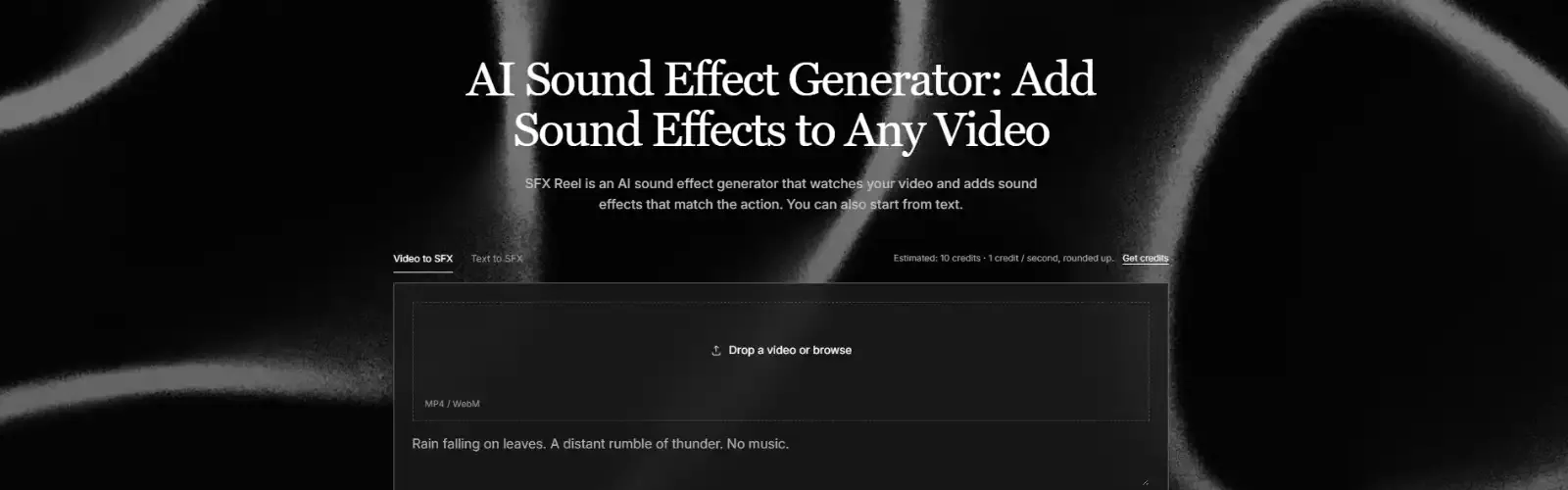
One example is SFX Reel, an AI Sound Effect Generator designed for video creators, filmmakers, animators, and game developers.
Why Sound Effects Matter in AI Videos
Sound effects play an important role in how audiences experience video content.
Imagine watching a character walk through a forest without hearing footsteps, leaves rustling, or birds in the distance. Even if the visuals look realistic, the scene may feel unnatural.
Good sound design helps creators:
- Make AI-generated scenes feel more immersive.
- Add realism to character movements and interactions.
- Create atmosphere with environmental sounds.
- Emphasize important moments and transitions.
- Improve storytelling without relying entirely on dialogue.
The challenge is finding suitable sounds and synchronizing them with the visuals.
What Is an AI Sound Effect Generator?
An AI Sound Effect Generator is a tool that uses artificial intelligence to create sound effects based on user input.
Depending on the platform, that input may include text descriptions or existing video footage.
For example, a creator might enter:
"A heavy wooden door slowly creaking open inside an abandoned house."
The AI generates an audio effect based on the description.
Some tools also support video-based sound generation, which can help creators produce audio that corresponds to on-screen actions.
This approach can be useful for people who want to improve video sound design without spending hours searching for individual audio clips.
How to Generate Sound Effects from Video
One useful development in AI audio technology is Video to SFX.
Instead of manually describing every sound, creators can upload a video and use AI to generate audio based on its visual content.
Step 1: Prepare Your Video
Start with a short video containing clear visual actions.
For example, you might have a scene showing someone walking through a rainy street or a character opening a door.
Step 2: Upload Your Video
Open an AI sound effect tool that supports video-based generation.
With SFX Reel, creators can use the Video to SFX workflow to generate sounds based on the visual content of an uploaded clip.
Step 3: Generate Matching Audio
The tool analyzes the video and creates sound effects corresponding to the scene.
Depending on the footage, these may include footsteps, impacts, environmental ambience, or other relevant sounds.
Step 4: Review the Result
Listen carefully to the generated audio.
Check whether important sounds match the timing of the actions and whether the overall atmosphere feels appropriate.
Step 5: Refine Your Video
If necessary, adjust the sound balance in your video editor.
Even with AI assistance, reviewing the final mix remains important.
How to Create Sound Effects from Text Prompts
Text to SFX offers another useful workflow.
Instead of uploading a video, creators describe the sound they want to generate.
Example 1: Rain and Thunder
Prompt:
"Heavy rain falling on a metal rooftop, with distant thunder and a soft wind in the background."
This prompt identifies the main sound, the surface, and the surrounding atmosphere.
Example 2: Cinematic Impact
Prompt:
"A deep cinematic impact with a powerful low-frequency boom and a short metallic echo."
This type of prompt can be useful for dramatic transitions or action sequences.
Example 3: Forest Ambience
Prompt:
"A peaceful forest at sunrise, with gentle wind through the leaves, distant birds, and subtle insect sounds."
This describes a layered natural environment rather than a single isolated effect.
Example 4: Game Sound Effect
Prompt:
"A futuristic laser weapon firing a short energetic pulse with a sharp electronic impact."
This could serve as a starting point for sound design in a science-fiction game.
SFX Reel: Video to SFX and Text to SFX
SFX Reel – AI Sound Effect Generator brings two sound generation workflows together.
Video to SFX focuses on generating audio based on visual actions, helping creators add sound effects to existing footage.
Text to SFX allows users to create custom sounds from natural-language descriptions.
This combination can be useful for creators working with AI-generated videos, animations, game scenes, and short-form content.
Instead of relying entirely on pre-recorded sound libraries, users can generate effects suited to their specific creative requirements.
Best Use Cases for AI Sound Effect Generators
1. AI-Generated Videos
AI video generators can produce impressive visual scenes, but some clips still need additional audio.
An AI Sound Effect Generator can help add environmental sounds, character movements, and cinematic effects.
2. YouTube Shorts, TikTok, and Reels
Short-form videos often depend on strong audio cues to capture attention.
Sound effects can emphasize transitions, actions, and important visual moments.
3. Game Development
Independent game developers may need many different sound effects for character movements, interactions, and environments.
Text-based sound generation can provide a flexible way to experiment with audio concepts.
4. Animation and Short Films
Animated scenes often require carefully designed sound effects.
AI tools can help creators explore different audio ideas during production.
5. Marketing and Product Videos
Sound effects can make product demonstrations, promotional videos, and visual presentations more engaging.
Tips for Better AI Sound Effects
Using an AI Sound Effect Generator does not automatically guarantee a perfect result. Good sound design still requires thoughtful decisions.
Be specific with prompts. Describe the sound source, material, environment, and desired intensity.
Avoid unnecessary layers. Too many effects can make a video feel cluttered.
Check synchronization. Impacts, footsteps, and object interactions should match the corresponding visual moments.
Protect dialogue clarity. Background effects should not overpower important speech.
Review the final audio. Listen through headphones and speakers to identify problems with timing, balance, or sound quality.
Final Thoughts
AI is changing how creators approach video production, and sound design is becoming part of that transformation.
An AI Sound Effect Generator can help reduce repetitive editing tasks while giving creators new ways to produce custom audio.
Whether you are making AI videos, short films, animations, or games, tools that support both video-based and text-based sound generation offer flexible creative workflows.
If you want to explore these capabilities, visit SFX Reel and experiment with Video to SFX or Text to SFX for your next project.