

Running a clinic involves much more than treating patients. Doctors and clinic teams must coordinate appointments, maintain patient records, manage billing, organize staff schedules, and ensure that daily operations run smoothly. When these responsibilities depend on paper registers, spreadsheets, and disconnected applications, even routine tasks can become time-consuming.
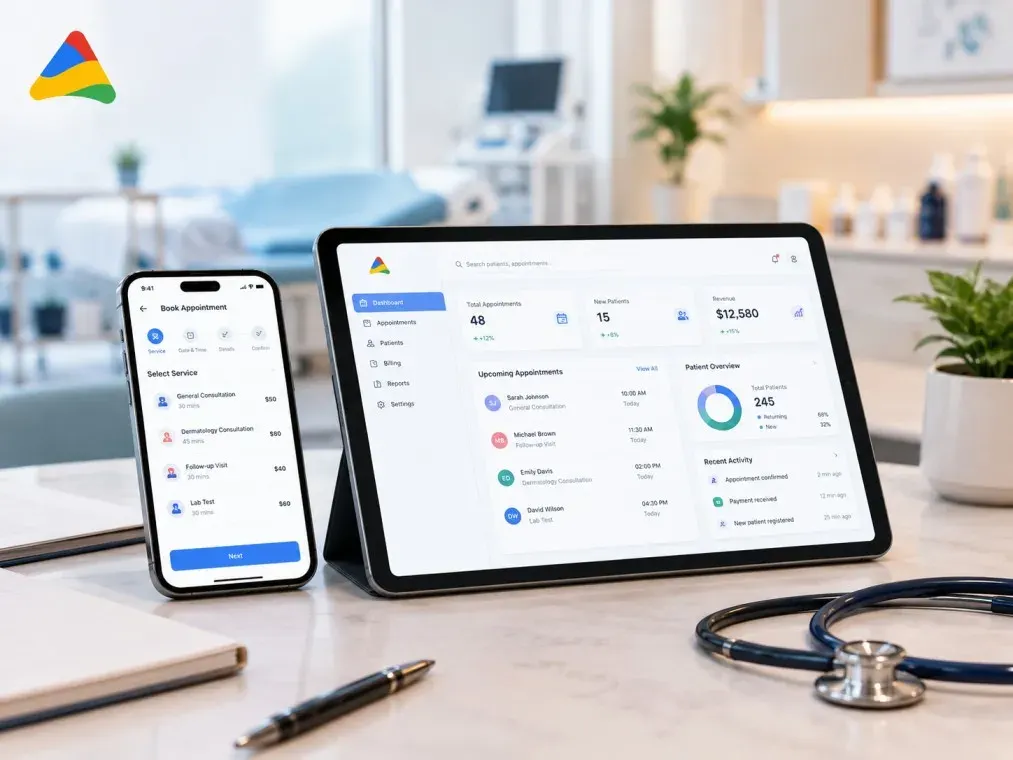
Digital clinic management solutions help bring these activities together in one organized workflow. For healthcare providers looking to improve efficiency, the right technology can reduce administrative pressure, improve record accessibility, and make the patient journey more convenient.
What Is a Clinic Management System?
A clinic management system is software designed to organize the administrative and operational activities of a medical practice. Depending on the platform, it may include appointment scheduling, patient registration, electronic medical records, billing, prescription management, reporting, and patient communication.
Instead of switching between multiple tools, clinic staff can use a centralized system to manage everyday tasks. This can help small independent practices, specialist clinics, and multi-doctor facilities coordinate their work more effectively.
It is important to understand that not every platform includes the same capabilities. Some focus mainly on appointments and billing, while others also provide clinical documentation, electronic prescriptions, telemedicine, and laboratory integrations.
Why Are More Clinics Moving Away From Manual Processes?
Traditional administrative methods can work for smaller practices, but they often become difficult to maintain as patient numbers increase.
Common challenges include:
- Appointment conflicts: Paper diaries and separate calendars can make scheduling changes difficult to coordinate.
- Time-consuming record searches: Staff may spend unnecessary time locating previous visit details or patient information.
- Billing mistakes: Manual calculations and disconnected payment records can complicate daily reconciliation.
- Missed follow-ups: Without an organized reminder process, patients may forget appointments or recommended return visits.
- Limited business visibility: Clinic owners may struggle to understand appointment volumes, collections, cancellations, and operational trends.
Digital systems help address these challenges by organizing information and reducing repetitive administrative work.
Essential Features to Look for in a Clinic Management Solution
Choosing software should begin with understanding the daily needs of your practice. The most useful features are those that solve recurring problems rather than simply adding more complexity.
1. Appointment Scheduling and Calendar Management
An organized appointment calendar helps receptionists manage bookings, cancellations, rescheduling, and doctor availability. Online booking can also allow patients to request appointments without calling the clinic.
Look for features such as automated confirmations, appointment reminders, multi-doctor calendars, and waiting-list management where needed.
2. Patient Records and Medical History
Digital patient records make it easier for authorized healthcare professionals to access relevant information during a visit. Depending on the system, records may include contact details, medical history, consultation notes, prescriptions, allergies, and previous appointments.
Electronic medical records (EMRs) focus on clinical information, while electronic health records (EHRs) are generally designed to support a broader view of a patient's health information and, where supported, exchange between healthcare providers.
Clinics should evaluate these capabilities carefully and ensure that clinical information is handled securely.
3. Billing, Invoicing, and Payment Tracking
Billing tools help clinics create invoices, record payments, track outstanding balances, and review daily collections. Some systems also support multiple payment methods, service packages, insurance workflows, or pharmacy billing.
Before selecting a platform, confirm that its billing features suit your clinic's location, accounting process, and applicable tax requirements.
4. Digital Prescriptions and Consultation Documentation
For clinics that need clinical documentation, electronic prescriptions and consultation templates can reduce repetitive typing and improve legibility. Some platforms allow doctors to save commonly used templates and retrieve previous consultation notes.
These features should support the clinician's workflow rather than replace professional medical judgment. Prescription and documentation tools must be reviewed for accuracy, access controls, and suitability for the relevant specialty.
5. Patient Communication and Follow-Up Reminders
Appointment reminders, confirmation messages, and follow-up notifications can help patients stay informed about upcoming visits. Depending on the system, clinics may communicate through SMS, email, or messaging integrations.
Clinics should check whether messages can be automated, whether delivery status is available, and how patient consent and communication preferences are managed.
6. Reports and Performance Insights
Reports can help clinic owners review appointment activity, patient attendance, revenue, outstanding payments, and staff workload.
These insights support better operational decisions. For example, a clinic may use appointment data to identify busy periods or review cancellations before adjusting its schedule.
7. Staff Access, Security, and Data Backup
Not every employee needs access to every record. Role-based permissions allow clinics to limit access according to job responsibilities.
When evaluating software, ask about encryption, backups, audit logs, data export, recovery procedures, and applicable healthcare privacy requirements. A provider should clearly explain how patient information is stored and protected.
What Are the Main Benefits for Small and Growing Clinics?
The benefits of digital clinic operations depend on the quality of implementation and how well the software fits the practice. However, several improvements are possible.
More organized daily operations: Appointments, patient details, and billing information can be managed through connected workflows.
Less repetitive administration: Automated reminders, reusable templates, and digital invoices can reduce certain manual tasks.
A more convenient patient experience: Online booking, clear appointment communication, and organized check-in processes can make interactions smoother.
Better access to information: Authorized staff can retrieve records and operational reports without relying entirely on paper files.
Support for business growth: Multi-doctor calendars, reporting tools, and multi-location capabilities can help practices manage increasing operational complexity.
These advantages are not automatic. Staff training, reliable support, appropriate configuration, and consistent use all influence the results.
How Much Does Clinic Management Software Cost?
The price depends on the provider, number of users, clinic size, and features included. Some platforms offer free entry-level plans or trials, while others charge a recurring subscription or provide custom pricing.
Additional expenses may include onboarding, data migration, premium support, messaging, integrations, and extra locations.
Before committing, ask for a clear breakdown of the total cost. Compare plans based on the features your clinic will actually use rather than choosing the cheapest option or the package with the longest feature list.
How to Choose the Right Solution for Your Clinic
The best option for a single-doctor practice may not suit a multi-specialty clinic. Use the following checklist to make a more informed decision.
- Identify your main challenges, such as appointment coordination, billing, records, or follow-ups.
- Confirm that the software supports your specialty and existing workflows.
- Request a demonstration using realistic day-to-day scenarios.
- Check whether the system works well on the devices your team uses.
- Review data security, permissions, backup policies, and data-export options.
- Ask about training, customer support, integrations, and future upgrades.
- Calculate the full cost, including optional modules and transaction or messaging fees.
- Test the platform with your team before moving all operations to it.
If your clinic requires EMR or EHR functionality, verify the clinical capabilities separately from general administrative features. A scheduling and billing tool alone may not meet your medical documentation requirements.
Is Clinic Software Different From Hospital Management Software?
Yes. Although the two categories can overlap, they often serve different operational needs.
Clinic-focused systems generally prioritize outpatient appointments, consultations, patient records, prescriptions, billing, and follow-ups. Hospital management platforms may also need to coordinate inpatient admissions, beds, departments, laboratory services, pharmacy operations, and more complex billing workflows.
A small clinic may not need every hospital-level feature. Selecting a system based on the actual size and complexity of your practice can help avoid unnecessary costs and complicated workflows.
How Salonist Fits Into the Broader Business Management Conversation
Salonist is designed for salons, spas, and beauty and wellness businesses rather than medical clinics. Its focus is on helping these businesses organize appointments, customer management, staff coordination, and everyday operations.
Although the needs of a healthcare clinic differ from those of a salon or spa, both types of service-based businesses benefit from organized scheduling, accessible customer information, and efficient administrative processes. Businesses should choose software specifically suited to their industry and required functionality.
Explore Salonist at https://salonist.io/ to learn more about management solutions for beauty and wellness businesses.
Frequently Asked Questions
What is the purpose of clinic management software?
It helps healthcare practices organize tasks such as appointment scheduling, patient registration, billing, communication, and reporting. Depending on the product, it may also include clinical records and prescription tools.
Which features should a small clinic prioritize?
Start with reliable appointment scheduling, patient registration, billing, reminders, reports, ease of use, and secure data handling. Add clinical documentation, telemedicine, or specialty-specific integrations when required.
Is cloud-based software better than desktop software?
Cloud-based systems can make authorized access from different locations easier and may simplify updates and backups. Desktop or locally hosted solutions may suit some clinics' infrastructure or operational requirements. Compare security, availability, internet dependency, support, and data ownership before deciding.
Can clinic software reduce missed appointments?
Automated confirmations and reminders can help patients remember appointments. Their effectiveness depends on message timing, patient preferences, delivery reliability, and how easy it is to reschedule.
Is patient information safe in a digital system?
Security depends on the provider's safeguards and the clinic's own practices. Review access permissions, encryption, backups, audit logs, data retention, and relevant privacy obligations before storing patient information.
What is the difference between EMR and clinic management software?
An EMR primarily manages clinical records. A clinic management system covers broader operational activities such as scheduling, billing, and patient communication and may include an EMR as one of its modules.
How can a clinic compare different software providers?
Compare actual workflows, ease of use, included features, total cost, support, integration options, security practices, and data portability. A practical demonstration is often more useful than a long marketing feature list.
Final Thoughts
Efficient clinic operations depend on more than medical expertise alone. Scheduling, records, billing, communication, and reporting all influence how smoothly a practice runs.
The right digital solution can bring these activities into a more organized workflow, reduce certain administrative burdens, and help clinics make better-informed operational decisions. Start by identifying your practice's biggest challenges, evaluating the features that address them, and choosing a solution that can grow with your needs.
For any healthcare provider, the goal should be simple: spend less effort managing disconnected administrative tasks and more time delivering attentive, well-organized patient care.